ANSI and UAD 3.6 for Appraisers

Newz: ANSI and UAD 3.6, Trainee Inside the Fast and Cheap Model

February 13, 2026

What’s in This Newsletter (In Order, Scroll Down)

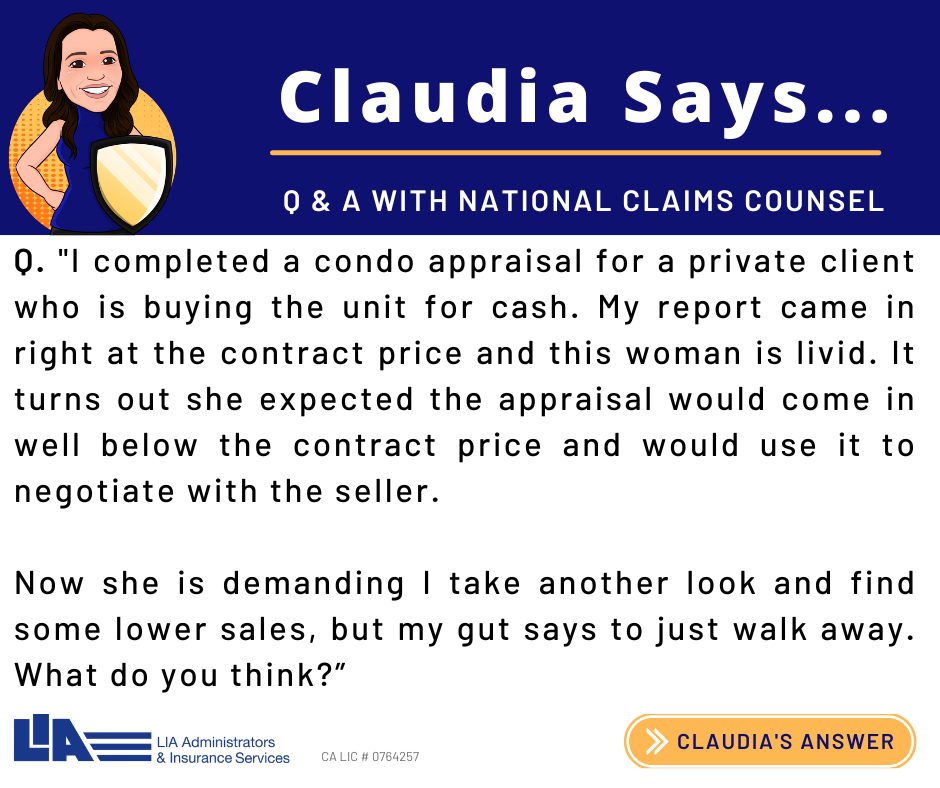
  • LIA AD: Buyer Wants Lower Price to Negotiate
  • ANSI Z765 and the New UAD 3.6: What Appraisers Need to Know
  • New York Lumber Baron’s Private Island Retreat Hits the Market for $2.7 Million—With a Historic 8-Bedroom Mansion
  • We Will Always Need Appraisers: Josh Walitt on Valuation, Technology, and Adaptability By Isaac Peck, Publisher WorkingRE
  • MY AD: What is new in the New URAR. List of data requests for each page of UAD 3.6 SFR report.
  • The Trainee Inside the Fast and Cheap Model
  • The Ethics of Credibility in Real Estate Appraisal By Timothy Andersen, MAI
  • MBA: Mortgage applications decreased 0.3 percent from one week earlier

———————————————–

Click here to subscribe to our FREE weekly appraiser email newsletter and get the latest appraisal news

—————————————-
 

——————————————————-

ANSI Z765 and the New UAD 3.6: What Appraisers Need to Know

Excerpts:

Why ANSI Z765 Matters More Under UAD 3.6

Fannie Mae and Freddie Mac have both adopted ANSI Z765 as the standard for measuring one-unit detached and attached dwellings. For years, ANSI shaped how appraisers calculated gross living area, but measurement practices still varied from one professional to another. Under the new UAD 3.6 framework, those differences matter more because:

The URAR now breaks out finished area by level, making ANSI designations part of the form structure.

Lenders run automated checks that compare the sketch, GLA figures, and room-level data for consistency.

Any mismatch can trigger a revision request, a CU warning, or a QC hold.

In short, ANSI is no longer just a best practice. It’s now deeply connected to how the form captures data and how lenders review appraisals.

Core ANSI Rules that Every Appraiser Must Apply

ANSI Z765 is the national standard for measuring single-family homes. Appraisers must follow the standard in full when required by the assignment. Key elements include:

Above-Grade vs. Below-Grade

A basement is any area partially or fully below grade, regardless of finish. Even if it includes high-quality living space, it must be reported as below-grade finished area, not GLA.

Ceiling Height Requirements….

To read more, Click Here

My comments: Good review of ANSI standards and how they change with UAD 3.6

————————————————————–

New York Lumber Baron’s Private Island Retreat Hits the Market for $2.7 Million—With a Historic 8-Bedroom Mansion

Excerpts: 8 bedrooms, 6.5 baths, 9,112 sq.ft., 0.5 acre lot, Built in 1905

Longue Vue Island is in Alexandria Bay on the St. Lawrence River and is understood to be one of the only artificial islands in the state of New York.

The island, which has also been known as Rosette Island and Artificial Island over the years, is home to a stunning eight-bedroom mansion and detached boathouse that were built for its original owner, Hudson Rose, a businessman who specialized in the lumber trade.

The home was designed by the architects Barney & Chapman in 1905. The grand arts & craft home features 8BR/6.5BA, gorgeous white cabinetry with island, stainless steel appliances, formal dining and spacious living room with detailed woodwork, fireplace, hardwood floors and enclosed stone porch that surrounds the first floor. As you leave the first floor, the grand original staircase leads to the second & third floor. Also features an amazing 3-slip deep-water boathouse that can accommodate 4 -6 boats with living quarters above. The upstairs above the boathouse has a wet bar, game room, beautiful wainscotting & hardwood floors throughout, 1BR/1.5 BA and living room.

To see the listing with an aerial view, virtual tour and 49 photos, Click Here

My comments: I have lived on a developed island in San Francisco Bay for the past 40 years. I love my Island of Alameda and will never leave! Of course I am always interested in other islands. What we say is “I hate to leave the island!”

——————————————————————

We Will Always Need Appraisers: Josh Walitt on Valuation, Technology, and Adaptability

By Isaac Peck, Publisher WorkingRE

Excerpts: To thrive in today’s appraisal landscape, adaptability matters more than ever. Markets shift, technology evolves, and clients’ needs change. Appraisers who recognize the versatility of their valuation skills—beyond traditional lender work—are better positioned to diversify, grow, and remain relevant in a changing industry.

Joshua Walitt is the very picture of adaptability and change. Originally a banker, Walitt did a mid-career jump into appraising after realizing that banking wasn’t for him. Since making that choice, Walitt hasn’t just followed his industry; he has set the pace for it.

Walitt has become a sought-after expert on compliance, real estate, and valuation, as well as a reviewer, a national speaker, an educator, and an expert witness. His company, Walitt Solutions, provides consulting services to lenders, appraisers, management companies, technology companies, education providers, and regulators.

Technology and Diversification

When I asked Walitt what the future of appraising looks like, he did not hesitate. “Technology,” he answered. “I don’t know any way around giving an answer without technology coming into it. We’ve had inspection apps for decades. But I think now, the importance of learning and using those is really coming to the forefront. A lot more data collection will be necessary for appraisers. Technology is forcing us to change. We’ll see a lot more velocity, consistency, and repeatability. And not just in the inspection,” he said.

The Future of Residential Valuation

With a wide network of videos, blog posts, and human contacts, Walitt is a presence across the entire appraisal profession. Living in Colorado, he has also served on a local Board of Equalization, resolving disputes between homeowners and assessors. All of this human contact has given Walitt a different view of the future than those who see incoming technologies as more disruptive than constructive. He believes that so long as there is property, people will need human valuation experts.

Walitt told me he was “optimistic about the future of the valuation profession. There’s always a need to know how much a property is worth. At this point in time, we don’t have machines that can replace human judgment, we’ve got a good place for it. With technology, it will look different. Think about the two-minute checkup from your dentist or going to the optometrist and someone remotes in to control the equipment that works on your eyes. We never imagined that we would have that technology, but we do. It’s becoming different, and it will be different,” he said.

To read more, Click Here

My comments: I have been following Walitt for quite a while. Good to know more about him and what he thinks.

—————————————————————

Are you getting too many ad-only emails?

4 ways to get only the FREE email newsletters and NOT the ad-only emails.

1. Twitter: https://twitter.com/appraisaltoday Posted by noon Friday

2. Read on blog www.appraisaltoday.com/blog Posted by noon Friday. You can subscribe to the blog in the upper right of each blog page. NOTE: the popular ads with liability tips are below the first topic on my blog posts.

3. Email Archives: https://appraisaltoday.com/archives

(posted by noon Friday) The link is above and to the left of the big yellow email signup form. Newsletters start with “Newz.” Contains all recent emails sent.

4. Link to the 10 most recent newsletters (no ads) at www.appraisaltoday.com. Scroll down past the big yellow signup block. The newsletters have abbreviated titles, taken from their blog posts.

To read more about the 4 ways, plus information on why I take ads, etc.

Click here

————————————————————–

What is new in the New URAR. List of data requests for each page of UAD 3.6 SFR report.

In the June, 1925 issue of Appraisal Today

Excerpts:

Page 3

Property Access – Search F-1 for full list

Zoning

Compliance

Classification Code

Classification Description

Property use

The type(s) of non-residential use observed on the property.

Agricultural

Commercial (e.g., retail, day care, elder care, beauty or barber shop, doctor’s

office) Industrial

Other (Describe)

Non-Residential Property Use

Hazard Zone

Property Restrictions

Easements

Encroachments

Site Characteristics (Example: topography, rolling, adverse impact

Site features and impact to value/marketability

The Site Features table provides information about relevant site factors that may impact the value and marketability of the property

Site influence

Many are listed plus details required (proximity, impact). Search in F-1

3 examples: agricultural, body of water, busy roadway

Impact classification is requested on some data, in many

categories-influence: Proximity, Impact, Comment

Adverse

The market reaction has a negative impact on the property’s value or marketability.

Beneficial

The market reaction has a positive impact on the property’s value or marketability.

Neutral

No measurable market impact on the property’s value or marketability.

Note: Neutral does not mean equal to other properties. For example, if the

subject and all comparables have the same view, that does not necessarily mean that Impact is Neutral.

Utilities

The appraiser must indicate whether each of the following utilities are connected to the site, and whether the utility is public or private.

Electricity

Gas

Sanitary Sewer

Water

Other (Describe) – if applicable

Broadband Internet

To read the full article, plus 2+ years of previous issues, subscribe to the paid Appraisal Today at www.appraisaltoday.com/order . I hope that at least one education provider will set up a list of each data requested with a live or virtual class that goes through the report page by page explaining what it means! ou can see what you need to know to complete the report.

Not sure if you want to subscribe?

Sign up for monthly auto renewal for $8.25!

Cancel at any time for any reason! You will receive a prorated refund.

$8.25 per month, $24.75 per quarter, and $89 per year (Best Buy)

or $99 per year or $169 for two years

Subscribers get FREE: past 18+ months of past newsletters

What’s the difference between the Appraisal Today free Weekly email newsletter and the paid Monthly newsletter? Click here for more info

————————————————

If you are a paid subscriber and did not receive the

February, 2026 issue emailed on

Monday February 2, 2026 please email info@appraisaltoday.com, and we will send it to you. Be sure to include a comment requesting it. Or, call 510-865-8041

————————————

The Trainee Inside the Fast and Cheap Model

The trainee walked into a job expecting mentorship and instead found a crash course in misconduct.

Excerpts: There is a widening gap in this industry between the people who actually protect the public trust and the people who only talk about it. A recent Reddit post from a Georgia trainee captured that gap with uncomfortable clarity. Not because his experience was unusual, but because it showed exactly what happens when the demand for fast and cheap collides with a profession built on accuracy, accountability, and real judgment.

The trainee described a year of being sent out alone to inspect properties, told to introduce himself using the name of a licensed appraiser who was never present, instructed to drop that person’s license into the file, and discouraged from adding supervisor details because the supervisor did not actually supervise. His so called trainer lived in another state, ignored most of his questions, and only appeared long enough to nitpick minor clerical issues. After twelve months, he could measure a house with precision, but no one had walked him through developing a sales comparison grid, reconciling approaches, or completing a report from start to finish. He was not being trained. He was being used.

And then came the comment that exposed the ecosystem. An appraiser described a local AMC that sends trainees out to inspect because they are cheap, fast, and most importantly invisible to the client. Many lenders do not allow trainee inspections, so instead of disclosing the truth, the AMC buries the trainee’s role behind a vague line in the addendum about a clerical administrative assistant who aids in X, Y, Z. The licensed appraiser signs the report, collects the fee, and keeps the volume flowing, while the trainee gets a small cut and a log of hours that will not lead to competency because no one is training them beyond measuring and sketching.

To read more plus 23+ appraiser comments, Click Here

My comments: This is what happened when licensing started in the 1990s. A licensed appraiser hired trainees and did not teach them how to appraise. Required classes offered by proprietary schools taught trainees how to pass the exam. A generation of appraisers had inadequate or no training and poor classes. It is not their fault.

——————————————————–

The Ethics of Credibility in Real Estate Appraisal

By Timothy Andersen, MAI, MSc., CDEI, MNAA

Excerpts:

The Nature of Credibility

Credibility has many definitions. In real estate appraisal, the definition that matters most is USPAP’s: “…worthy of belief.”

In this article, I’ll demonstrate why credibility is more than just a guide for creating a quality work product. It’s also an ethical obligation to clients, and the cornerstone of public trust in our profession. And I’ll outline the fundamental characteristics of credible appraisal reports: They should be clear, unambiguous, precise, concise, and grounded in logic and epistemic responsibility. (I’ll explain that last term later in the piece.)

Clarity

For appraisals to be credible and appraisal reports non-misleading, appraisers must communicate their reasoning and conclusions clearly. Jargon, overuse of boilerplate, convoluted sentences, internal inconsistencies, and vague language are the enemies of clarity.

The Ethical Imperative to Improve

The ethics of credibility demand more than technical competence and “my 20 years of experience.” They require a steadfast commitment to clarity, accuracy, sound logic, and rigorous intellectual honesty.

Credibility isn’t a static trait; it requires ongoing effort. We can always improve our writing, analytical skills, and ethical awareness. And we don’t have to do this alone in our offices. Professional organizations, workshops, peer networks, state appraisal coalition meetings, and national conventions are there to help us refine these abilities.

Ethical and competent real estate appraisers have a duty to produce appraisals that inspire trust and reports that are transparent, easy to understand, and not misleading. Appraisal reports have far-reaching implications. They influence financial decisions, impact communities, and shape perceptions of our profession. By committing to the ethical principle of credibility and all that it encompasses, we as appraisers can uphold the integrity of our profession, ensure its long-term success, and, as USPAP’s Preamble urges, “promote and maintain a high level of public trust in appraisal practice.”

To read more, Click Here

My comments: Well written and worth reading. We often get caught up in producing appraisals and can forget what it all means.

————————————————–

HOW TO USE THE NUMBERS BELOW. Appraisals are ordered after the loan application. These numbers tell you the future for the next few weeks. For more information on how they are compiled, Click Here.

Note: I publish a graph of this data every month in my paid monthly newsletter, Appraisal Today. For more information or get a FREE sample go to www.appraisaltoday.com/order Or call 510-865-8041, MTW, 7 AM to noon, Pacific time.

My comments: Rates are going up and down. We are all waiting for rates to drop lower in 2026.

Mortgage applications decreased 0.3 percent from one week earlier

WASHINGTON, D.C. (February 11, 2026) — Mortgage applications decreased 0.3 percent from one week earlier, according to data from the Mortgage Bankers Association’s (MBA) Weekly Mortgage Applications Survey for the week ending February 6, 2026.

The Market Composite Index, a measure of mortgage loan application volume, decreased 0.3 percent on a seasonally adjusted basis from one week earlier. On an unadjusted basis, the Index increased 2 percent compared with the previous week. The Refinance Index increased 1 percent from the previous week and was 101 percent higher than the same week one year ago. The seasonally adjusted Purchase Index decreased 2 percent from one week earlier. The unadjusted Purchase Index increased 4 percent compared with the previous week and was 4 percent higher than the same week one year ago.

“Mortgage applications were relatively flat over the week, but it was a mixed bag for the different loan types. The 30-year fixed rate was unchanged at 6.21 percent, and conventional applications declined for both purchases and refinances as borrowers held out for another drop in rates or shifted to other loan types,” said Joel Kan, MBA’s Vice President and Deputy Chief Economist. “FHA purchase and refinance applications increased, helped partially by the FHA rate declining and remaining 20 basis points lower than the conforming 30-year fixed rate.”

Added Kan, “Borrowers are increasingly utilizing FHA loans as affordability challenges remain, despite recent improvements. Similarly, the ARM share increased to a seven-week high with ARM rates almost a percentage point lower than fixed rates.”

The refinance share of mortgage activity decreased to 56.4 percent of total applications from 57.1 percent the previous week. The adjustable-rate mortgage (ARM) share of activity increased to 8.0 percent of total applications.

The FHA share of total applications increased to 18.4 percent from 17.8 percent the week prior. The VA share of total applications increased to 16.0 percent from 15.8 percent the week prior. The USDA share of total applications remained unchanged at 0.4 percent from the week prior.

The average contract interest rate for 30-year fixed-rate mortgages with conforming loan balances ($832,750 or less) remained unchanged at 6.21 percent, with points remaining unchanged at 0.56 (including the origination fee) for 80 percent loan-to-value ratio (LTV) loans. The effective rate increased from last week.

The average contract interest rate for 30-year fixed-rate mortgages with jumbo loan balances (greater than $832,750) decreased to 6.30 percent from 6.32 percent, with points remaining unchanged at 0.34 (including the origination fee) for 80 percent LTV loans. The effective rate decreased from last week.

The average contract interest rate for 30-year fixed-rate mortgages backed by the FHA decreased to 6.01 percent from 6.04 percent, with points increasing to 0.68 from 0.67 (including the origination fee) for 80 percent LTV loans. The effective rate decreased from last week.

The average contract interest rate for 15-year fixed-rate mortgages increased to 5.65 percent from 5.61 percent, with points increasing to 0.68 from 0.63 (including the origination fee) for 80 percent LTV loans. The effective rate increased from last week.

The average contract interest rate for 5/1 ARMs decreased to 5.33 percent from 5.37 percent, with points increasing to 0.67 from 0.58 (including the origination fee) for 80 percent LTV loans. The effective rate decreased from last week.

The survey covers U.S. closed-end residential mortgage applications originated through retail and consumer direct channels. The survey has been conducted weekly since 1990. Respondents include mortgage bankers, commercial banks, thrifts, and credit unions. Base period and value for all indexes is March 16, 1990=100.

—————————————————————————-

Ann O’Rourke, MAI, SRA, MBA

Appraiser and Publisher Appraisal Today

1826 Clement Ave. Suite 203 Alameda, CA 94501

Phone: 510-865-8041

Email:  ann@appraisaltoday.com

Online: www.appraisaltoday.com

5 Excel Resources and How-To Guides for Appraisers

Newz: Forecasts, Appraisal Forgery,
Excel Appraiser Resources

January 9, 2026

What’s in This Newsletter (In Order, Scroll Down)

  • LIA ad: A Case of Forgery
  • 5 Excel Resources and How-To Guides for Appraisers
  • Appraisal By Jim Amorin, MAI
  • Rare Sculptural Masterpiece by Architect Charles Haertling Hits the Market in Boulder for Under $4 Million
  • USPAP and the State Board By Timothy Andersen, The Appraiser’s Advocate
  • 2026 Housing Market Forecast: The Great Recalibration Appraisal By Kevin Hecht
  • When Protecting Tenants Starts With Targeting Property Rights By Desiree Mehbod
  • MBA: Mortgage applications decreased 9.7 percent from two weeks earlier

———————————————-

Click here to subscribe to our FREE weekly appraiser email newsletter and get the latest appraisal news

———————————-

—————————————————-
5 Excel Resources and How-To Guides for Appraisers

By Jim Amorin, MAI

Excerpts: Are you getting the most out of Excel in your real estate appraisal work? If you’ve ever found yourself drowning in data or spending too much time on tedious tasks, it’s time to transform how you complete your appraisal tasks.

We’ll dive into five essential functions that can streamline your appraisal process and boost your efficiency as well as provide real-world examples to help you master these Excel tools and revolutionize your workflow.

VLOOKUP: Your Go-To for Vertical Data Retrieval

Imagine this: You’re working on an appraisal, and you need to verify the sale price of a property quickly. Instead of sifting through pages of data, VLOOKUP does the heavy lifting for you to pull information in a snap.

HLOOKUP: The Horizontal Companion

Now, let’s talk about HLOOKUP. If VLOOKUP is your vertical search tool, HLOOKUP is the horizontal counterpart. It’s perfect for those times when your data is organized across columns rather than rows.

XLOOKUP: The All-Rounder

XLOOKUP was introduced in 2019 as the successor to the VLOOKUP and HLOOKUP functions. XLOOKUP empowers real estate appraisers to navigate vast datasets seamlessly and enhance the precision of their valuations.

IF Statements: Decision-Making Made Simple

In Excel, the IF statement acts like a swift decision-maker, constantly asking, “Is this true or false?” Based on the response to this straightforward yet powerful question, Excel takes a divergent path, calculating different outcomes for the true condition compared to the false one.

To read more, Click Here

My comments: Understandable. I had never heard of this software. Detailed answers on how to use the tools by an expert: Jim Amorin, MAI

Read more!!

Appraisal Adjustments

Newz: Appraisal Adjustments, How Freddie and Fannie Inflated Home Prices, FHA to Adopt UAD 3.6

August 29, 2025

What’s in This Newsletter (In Order, Scroll Down)

  • LIA AD Navigating Value Revisions in Appraisals
  • Appraisal Adjustments: Types, Methods, and Cheat Sheet Appraisal By Kevin Hecht
  • Inside Artificial Heart Inventor’s $4.8 Million Midcentury Modern Salt Lake City Utah Home
  • Inflated Prices, Taxed to Death, by Jeremy Bagott
  • Can the direction a home faces affect its value? By Ryan Lundquist
  • The Competence to Perform an Assignment, by Timothy C. Andersen, MAI
  • FHA to adopt UAD 3.6
  • MBA: Mortgage applications decreased 0.5 percent from one week earlier

————————————————-

Time Adjustment Changes for Appraisers

Click here to subscribe to our FREE weekly appraiser email newsletter and get the latest appraisal news

———————————–

————————————————-

Appraisal Adjustments: Types, Methods, and Cheat Sheet Appraisal By Kevin Hecht

Excerpts:

Types of Appraisal Adjustments

Appraisal adjustments can take several forms, depending on the property characteristics being compared. Each type of adjustment addresses a different element that may influence value. Below are descriptions of common adjustment categories and their uses, followed by a “cheat sheet” chart with examples.

  • Qualitative Adjustments
  • Quantitative Adjustments
  • Transactional Adjustments
  • Market Conditions Adjustments
  • Property Adjustments
  • Locational Adjustments

Common Methods for Making Appraisal Adjustments

A long list, from matched paired sales to Cost Analysis

Appraiser Survey: What’s Your Go-To Method for Adjustments?

Paired sales/matched pair analysis (Most popular answer!)

“I typically cover rural areas where sales are scarce and there is not enough data for meaningful statistical analysis to be performed. Due to this, paired sales analysis is the most reasonable and defensible analysis position available.”

“I use linear regression to understand market changes and to calculate any necessary market change adjustments.”

“Depends on what item is being adjusted. If it is site or GLA, it is usually a percentage of the per acre or per square foot sales price. Other items are usually paired sales analysis or consideration for depreciated cost.”

To read more, Click Here

My comments: Comprehensive lists and interesting appraiser comments. I quit doing grid dollar adjustments many years ago. A person from our state regulator, speaking at a local appraisal meeting, said they would require support for all adjustments. I started by doing Plus and Minus grid adjustments and then went to “total property comparison” with a value. I do a qualitative analysis comparing the comps.

The only supported dollar adjustments I make are for market conditions and high dollar features such as a fantastic view of the Golden Gate Bridge from very high up a hill.


Inside Artificial Heart Inventor’s $4.8 Million Midcentury Modern Salt Lake City Utah Home

Excerpts: 4 bedrooms, 4.5 baths, 5,447 sq.ft., 0.55 acre lot, built in 1957

The mastermind behind the one-of-a-kind estate was none other than Swiss architect Eduard Dreier, who brought Bauhaus principles to the modernist movements of Utah and Nevada.

Lovingly restored and awarded the Utah Heritage Award for Restoration and Renovation, this 5, 447 sq ft architectural gem blends timeless Dreier elements-exposed steel beams, walls of glass and cantilevered roof line, granite rock walls-with warm modern luxury. The 1,110 sq ft glass-and-steel attached guest house, designed by Dreier protge Brent Groesbeck in 2016, floats above the main home, expanding living where entertaining is elevated to an art form.

To read more, Click Here

To see the listing with 43 photos and a video tour, Click Here

Read more!!

Appraisal Cost Approach and Highest and Best Use

Newz: Now What For Appraisers After Election? Generative AI and adjustments?

November 15, 2024

What’s in This Newsletter (In Order, Scroll Down)

  • (LIA ad) Intended Use and User
  • 10 Questions on the Cost Approach and Highest and Best Use
  • A Real-Life ‘Yellowstone’: Historic 52,000-AcreArizona Ranch Hits the Market for $42 Million—Complete With a Private Airstrip and Off-Grid Cabin
  • Now What? On a New Trump Administration
  • Can Generative AI solve the adjustment support paradigm
  • How Deep Fakes Have Burrowed Into Home Finance
  • Murder in the flying saucer: inside The Chemosphere in Los Angeles, CA
  • Mortgage applications increased 0.5 percent from one week earlier
  • So Many Appraisal Cost Approach Questions
  • Appraisal Business Tips 
    Humor for Appraisers


————————————————————–

10 Questions on the Cost Approach and Highest and Best Use

By Timothy Andersen

Excerpts: It is clear most appraisers do not like to perform the analytics inherent in the Cost Approach. This may be because most appraisers simply do not appreciate its power. Consider these 10 Cost Approach questions.

10 QUESTIONS TO CONSIDER

Take a look at these 10 questions on the Cost approach (and various items related to it). After you are finished, you will still not like to do it. But you may appreciate its analytical and interpretative powers even more.

1. On the 1004 form is the indication that Fannie Mae does not require the Cost Approach to Value. However, where does the form instruct the appraiser not to complete the analytics of the Cost approach? (Spoiler Alert: It does not.)

2.   Instructions on the form state the appraiser is to “…[p]rovide adequate information to the lender/client to replicate the [herein] cost figures and calculations.” However, where does the typical appraiser provide such replicable information?

3. In addition, the reporting form requires the appraiser to “…[s]upport the opinion of site value [with a] summary of comparable land sales or other methods for estimating site value.” Nevertheless, where does the typical appraiser provide such summary information?…

So, it is clear from these Fannie Mae instructions that the appraisal of a SFR includes an analysis and valuation of the subject site separate from the valuation of the site as improved. Does this mean to conclude a site value as if the subject site were vacant and available to be put to its highest and best use? (Spoiler Alert: Yes, it does.)

To read all 10 Q&As, Click Here

My comments: Of course, for custom home construction the Cost Approach is required to determine the feasibility of construction before building the home. I got some good ideas on using the Cost Approach from this article.

Read more!!

Why Appraisal Workfiles Are Important

Why an Organized Workfile is Your Best Defense

By Craig Capilla

Excerpts: We all know that the Uniform Standards of Professional Appraisal Practice (USPAP) set the baseline for what must be included in a workfile. We’ve all also heard ad nauseum that USPAP is a minimum standard. Still, all too many appraisers seek only to meet that minimum standard and little more. That’s where the trouble begins. Particularly when speaking about the workfile, for my money, the most dangerous words in USPAP are “or references to the location(s) of such other data, information, and documentation.” There it is, right there in plain English: USPAP permits appraisers to maintain a reference to the data, information, and documentation considered as a part of the assignment, and the appraiser is NOT obligated to keep a contemporaneous copy of those items.

That minimum standard is all well and fine until one day many months later, when an enforcement agency demands that the appraiser produce that information, usually on a tight timeline, and the information is no longer available or the source now shows different information than what was available at the time of the assignment.

Believe me when I tell you that it is not a good feeling when a regulator asks you to explain why you didn’t consider a particular piece of information, and you cannot summon an answer. Similarly, there are few things more liberating than producing a document that shows the information you are being asked about was not available to you at the time you performed the assignment. I’ve seen this happen. Systems fail. MLS aggregators have software glitches. Public record updates at its own pace. And sometimes, that one crucial piece of information isn’t there anymore when you need it.

To read more, Click Here

My comments: The article also discusses bias. Capilla is an attorney who defends appraisers. Newer appraisers are lucky. Scanning work files is easy. I started appraising before the Internet and easy scanning and filing. My office and home garage are filled up with paper files! I have PDF copies of all the appraisals I have done as a fee appraiser on my main computer, except those done before PDFs were available.

Appraisal Business Tips 

Humor for Appraisers

Click here to subscribe to our FREE weekly appraiser email newsletter and get the latest appraisal news!!

NOTE: Please scroll down to read the other topics in this long blog post on appraiser discrimination lawsuit, waivers, staying positive with slow business, appraiser’s economic forecast, unusual homes, mortgage origination stats, etc.

Read more!!

How To Appraise Rural Properties

How To Appraise Rural Properties

Excerpts: Appraising residential properties in rural areas can be both challenging and rewarding. Unlike the standardized expectations of urban and suburban properties, rural properties often present unique characteristics that require a nuanced approach to valuation. Whether you’re a seasoned appraiser or new to the field, having a better understanding of rural properties is essential for providing credible appraisals. In this guide, we’ll explore what defines a rural property, the challenges appraisers face, reasons for conducting rural appraisals, strategies for finding comparables, and tips for writing a compliant appraisal report.

  • Defining rural properties – USDA and GSEs
  • Challenges of appraising rural properties
  • Appraising rural properties presents unique challenges due to their diverse characteristics and market dynamics.

Topics include:

  • Diverse property types and uses
  • Unique property characteristics
  • Limited market activity and more
  • Writing your rural property appraisal report – good ideas

To read more, click here

My comments: Worth reading, if only to find out about rural appraising. Well written. There are relatively few residential lender appraisals available now. This is an excellent diversification opportunity, with little competition from other appraisers or the GSEs use of other ways to get a value without human appraisers.

What if there are few rural areas near you?

You can expand your area to include rural appraisals to get more business.

When I worked for a northern California assessor’s office with rural areas I learned a lot about almond growing (the main crop) and other ag topics. It is not hard to learn the valuation factors. I had niece who had several horses for many years where she lived. There are equestrian facilities within 5 miles from my house in Oakland hills and in farther out Bay Area cities with larger lots. You may have some similar rural experience now!

The American Society of Farm Managers and Rural Appraisers www.asfmra.org has a specialty in Rural Appraising, but it requires a Certified General. There may be seminars available. Another reason for upgrading!

Urban, Suburban, Rural in Appraisals

Appraisal Business Tips 

Humor for Appraisers

Click here to subscribe to our FREE weekly appraiser email newsletter and get the latest appraisal news!!

NOTE: Please scroll down to read the other topics in this long blog post on USPAP and Personal Inspection, GSE Appraisal Modernization, Transaction costs and values including real estate commissions, unusual homes, mortgage origination stats, etc.

==============================================

Read more!!

What level appraiser are you?

How to Level Up as an Appraiser

By Conrad Meertins Jr.

Excerpts: The key is not the letters but the competency or skill. For example, are you competent to prepare an entire appraisal from start to finish? You might answer, “Absolutely!” But what if the appraisal form was completely blank with no boilerplate text? Do you still feel the same level of assuredness? What if you could not use the URAR form at all, but still had to produce an appraisal report that could stand up in court? Are your legs shaking? These questions help us to start to gauge our current level.

The three levels that we are going to discuss are “Beginner,” “Intermediate,” and “Pro.” Now, we could go deep and say that there are levels within the levels, but for now we will keep it simple and explore these three main levels. Some view each level as a stepping stone, and some view each level as a permanent parking space. It’s your choice which level you choose to pursue. The goal here is for us to evaluate which level we are at and determine which level we want to achieve.

Level 1 – Beginner

This is where we all start. There is no shame in this level. Depending on how you were trained, at the beginner level you typically view appraisals as forms — forms with checkboxes to be checked or left blank. If all the right boxes are checked and your report is signed with a value, mission accomplished!

Level 2 – Intermediate

At the intermediate level, you realize there is more to appraising real estate than checking boxes. Here is where you provide more explanations. If you say the market is stable, perhaps you add a sentence or two to expound on that. If you say that comp #1 was the best comp, you add a sentence explaining why. If you don’t adjust for the subject being on a busy road, you add a sentence about the neutral impact of the busy road and a comparable to support that conclusion—before being prompted to do so by the underwriter.

Level 3 – Pro

There is a subtle difference between Level 2 and Level 3. But one indicator that you have crossed the line from intermediate to pro is understanding how all the pieces fit together. For example, you understand that you do not need a form to produce an appraisal.

To read more, click here

My comments: Hybrid Appraisals are coming fast for lender appraisals, when any “human” appraisals are done. Full appraisals that Level 1 and most Level 2 appraisers cannot do will be done by Level 3 appraisers. I am writing two long articles for the November issue about Hybrid Desktops and Property Data Collectors. Both positive and negative sides for appraisers. If you want to continue to do AMC appraisals, this is an option.

What if you don’t want to do either one? If you have done AMC lender appraising only, you only appraise homes that conform to GSE requirements. You have a low skill level.

If I did lender work now, I would be in the “top tier” to be called when other appraisers said no. For as long as I have been appraising, lenders had special lists for the tough ones, or for a valuable bank client that borrows money from the bank and has large deposits.

Appraisal Business Tips 

Humor for Appraisers

Click here to subscribe to our FREE weekly appraiser email newsletter and get the latest appraisal news!!

NOTE: Please scroll down to read the other topics in this long blog post on  retirement, USPAP 2024 Changes, school district app, unusual homes, mortgage origination and more!

Read more!!

2024 USPAP For Appraisers

2024 USPAP

Source: Appraisal Foundation

The 2024 Uniform Standards of Professional Appraisal Practice is now available for purchase in physical and digital formats.

This year, for the first time, you can purchase just the book of USPAP standards for $35. This covers all Definitions, Rules, and Standards.

We also have a new product launching this year. All Advisory Opinions, Frequently Asked Questions and the recently launched Reference Manual will now be part of a standalone publication called the 2024 USPAP Guidance and Reference Manual.

This change reflects the maturation of USPAP, resulting in longer effective dates. The ASB will continue to review USPAP for changes when necessary but will shift much of its focus to providing more guidance to the marketplace. Appraisers can now buy one set of USPAP standards and keep that publication on their bookshelf for as long as that edition is effective and purchase just the Guidance and Reference Manual as needed for coursework and updates.

If you like having the USPAP standards and guidance material linked, we still have you covered. You can also purchase a linked digital version of the eUSPAP and Guidance and Reference Manual and get seamless access across both documents.

To read the full letter, click here

My comments: USPAP 2024 is effective January 1, 2024. I’ve been waiting for a very long time for longer than 2 years between effective dates. Also, there is no ending date for the 2024 version.

When USPAP started, it was very exciting as appraisers had to decide what needed to be changed or added. Lots of people wanted to be on the ASB. Over time, I quit following the updates as there were few significant changes.

2024-2025 USPAP 7-Hour Update Course is being approved or is approved, in the states. I assume a new class will be required every two years in the future. Gotta keep that money coming into the Appraisal Foundation, I guess…

I really hated the classes when there was not much to say except a rehash of the past. I taught USPAP before the ASB told you what to teach. It was my favorite class as we could focus on issues in our current market. Of course, now there is appraiser discrimination, the current hot topic. Personally, I think there is very, very little intentional discrimination by appraisers, compared with the intentional discrimination by lenders (and others). “Red Lining” still exists, some are in the same locations.

=====================================================

Appraisal Business Tips 

Humor for Appraisers

Click here to subscribe to our FREE weekly appraiser email newsletter and get the latest appraisal news!!

NOTE: Please scroll down to read the other topics in this long blog post on  non-lender appraisals, economics analysis, Fannie getting rid of appraisers?, unusual homes, mortgage origination

Read more!!

The End of Lender Appraisals?

The End of Home Appraisals?

By Jeremy Bagott, MAI

Excerpts: In his 1946 essay “Politics and the English Language,” the late British novelist, essayist and critic George Orwell examined the connection between political orthodoxies and the debasement of the English language. In a truly Orwellian move, mortgage giant Freddie Mac recently announced its intent to censor an arbitrary collection of words such as “desirable,” “safe,” “well-kept,” “student” and “crime” when they appear, in any context, in the hundreds of thousands of appraisal reports it relies on in mortgage underwriting. It would be hard to make this up.

As with all banned words, Freddie’s list will lead to the need to ban additional words over time as appraisers, expunging the word “desirable,” will find synonyms when analyzing market reaction to the views of two homes or to the cul-de-sac location of a home versus the midblock location of a comparable. When discussing how market participants view side-by-side school districts, appraisers will figure out they can use synonyms like “advantageous,” “preferable,” or “beneficial” instead. Soon, these words, too, will need to be banned. In a college town, the banned word “students” will become “matriculants,” a word that will likewise need to be banned.

The attack on the protected speech of independent appraisers erodes their ability to describe how the properties they appraise relate to the preferences of market participants. The censorship is part of a march toward what appraiser and podcaster Phil Crawford has coined “universal basic home value” – a utopian vision among idealogues in which government technocrats dictate the supposed value of a property using algorithms and machine learning. The censorship began with Fannie Mae, and has now predictably spread to Freddie Mac.

To read more plus appraiser comments, click here

My comment: Worth reading. Lots more AMC/lender appraisal correction requests. Last week’s email had a discussion of the “words” which got a lot of clicks by appraisers wanting more information.

Appraisal Business Tips 

Humor for Appraisers

Fannie: Words and Phrases in Appraisals

Click here to subscribe to our FREE weekly appraiser email newsletter and get the latest appraisal news!!

NOTE: Please scroll down to read the other topics in this long blog post on non lender appraisals, USPAP, Bias, real estate market, mortgage rates, unusual homes, mortgage origination


Read more!!

FHA: Cosmetic vs. MPR Repairs

Cosmetic vs. MPR Repairs: Guidance for FHA Appraisers

By: McKissock

Excerpts: If you are appraising a property that needs some cosmetic repairs but meets FHA minimum property requirements (MPR) in its current condition, you should make the appraisal “as-is.” Here is some guidance on cosmetic repairs vs. MPR repairs.

Topics include:

  • When can an FHA appraisal be completed “as-is” vs. “subject to”?
  • Cosmetic repairs Examples
  • MPR repairs Examples
  • Conditions that require inspection Examples

To read more, click here

My comments: If you do FHA appraisals, read this blog post. Photos and lots of examples. I quit doing FHA appraisals in the mid-1980s because of the inspection requirements compared to conventional appraisals, that did not have the requirement.

Appraisal Business Tips 

Humor for Appraisers

Click here to subscribe to our FREE weekly appraiser email newsletter and get the latest appraisal news!!

NOTE: Please scroll down to read the other topics in this long blog post on appraisal “modernization”, bias hearing, bad appraiser, USPAP, unusual homes, mortgage origination stats, etc.

To read more of this long blog post with many topics, click Read More Below!!

Read more!!